Latest

Wednesday, August 26, 2026

VOD

On YouTube

Git commits

Tuesday, August 25, 2026

Writing

Using a fake HomeKit switch to automate capturing real sensor data

1 of 3

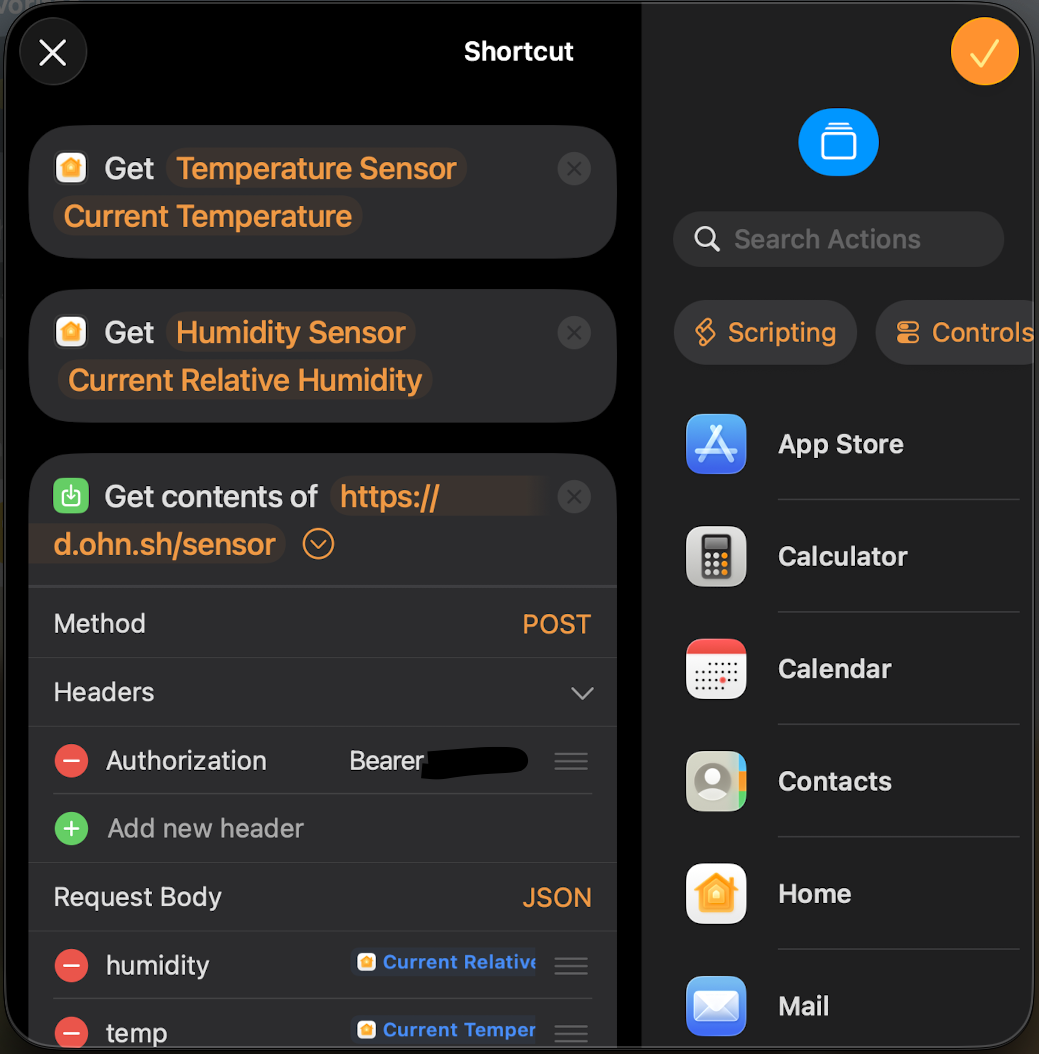
In Apple Home, an action runs whenever the Homebridge dummy switch is "pressed" (every 15 minutes). The action sends a JSON payload to dashd (the backend server/database) consisting of HomePod sensor readings and a timestamp.
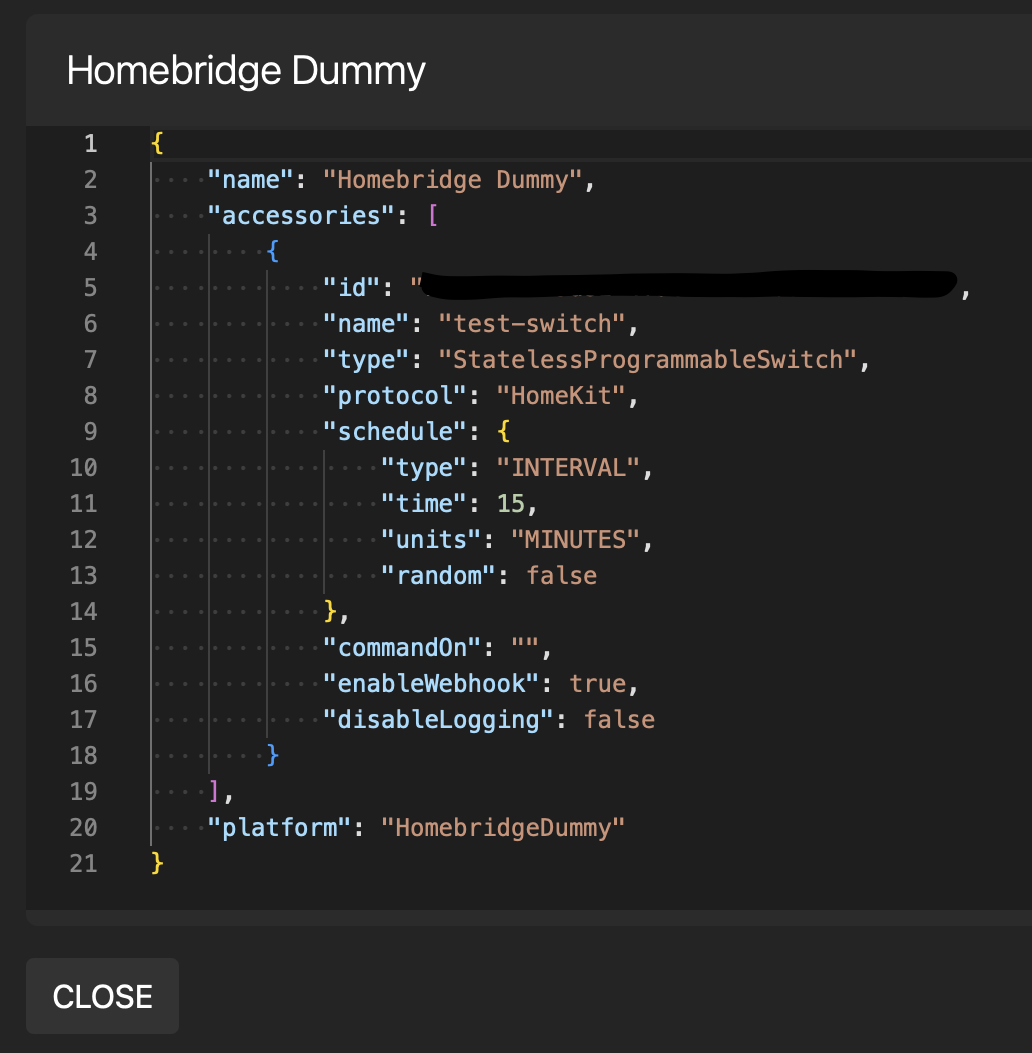
In Homebridge, the virtual switch is set to trigger every 15 minutes, and also to create a local webhook where it can be triggered on-demand.
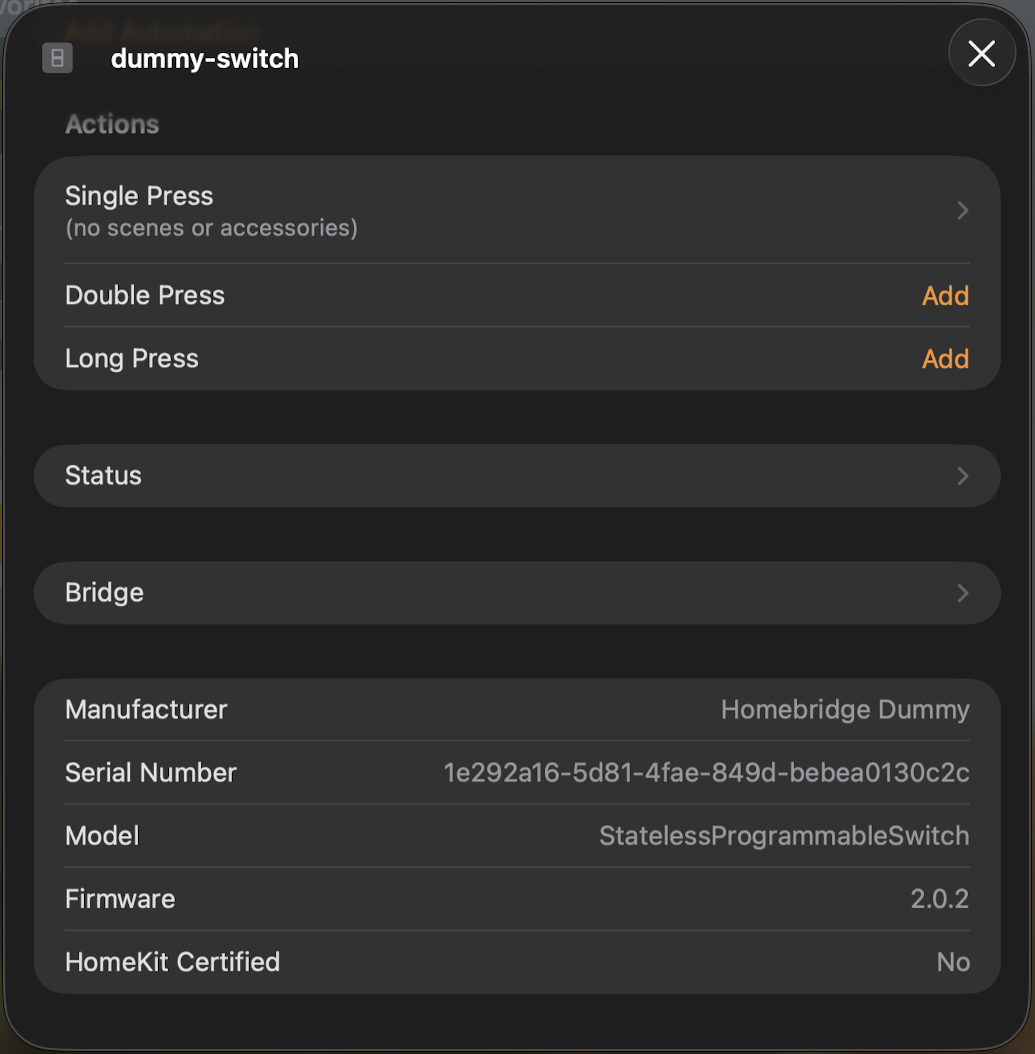
Main settings panel for virtual switch in Apple Home.
Apple Home provides a settings panel for the Homebridge virtual switch, including actions that can be run on single press, double press, and long press.

UPDATE: Ouch, a tvOS/HomePod 27 bug breaks the automation. Sounds like a fix is coming in 27.2.

Homebridge is an open-source, virtual HomeKit bridge that runs on inexpensive hardware (I’m using a Raspberry Pi). With it, non-HomeKit devices can be added to, and controlled by, Apple Home. homebridge-dummy is a Homebridge plugin providing virtual switches and other fake “devices” that can trigger or extend HomeKit automations.

Read full post →

VOD

On YouTube

Git commits

Monday, August 24, 2026

VOD

On YouTube

Git commits

Sunday, August 23, 2026

VOD

On YouTube

Git commits

ohnsh/dash (GitHub)9

Saturday, August 22, 2026

VOD

On YouTube

Git commits

Friday, August 21, 2026

VOD

On YouTube

Git commits

Thursday, August 20, 2026

Writing

First pass at an interactive picture-in-picture video component

Much of the video that winds up on dash.ohn.sh is recorded in a very particular format (in OBS Studio), consisting of four 1080p tiles, each representing an “angle” of the same scene. Two of those angles are screen captures, which are difficult to read when limited to one quarter of a video player. Luckily, the web platform provides a bunch of tools to process video and create custom video players. The above demo shows a first pass at a solution, implemented as an interactive React component.

Concept

The basic idea is to display one quadrant at a time in a main view that occupies most of the video player, with the other three quadrants shown picture-in-picture style along one edge. Clicking a picture-in-picture view swaps it with the main view. Clicking the main view toggles all of the picture-in-picture views on/off as a group, which is important because they do obscure part of the main view when enabled.

Read full post →

VOD

On YouTube

Git commits

days4
ohnsh/dash (GitHub)8